.png)
How can I swap products in my subscription?Updated 3 months ago
Step 1: Log in to your Save Trees account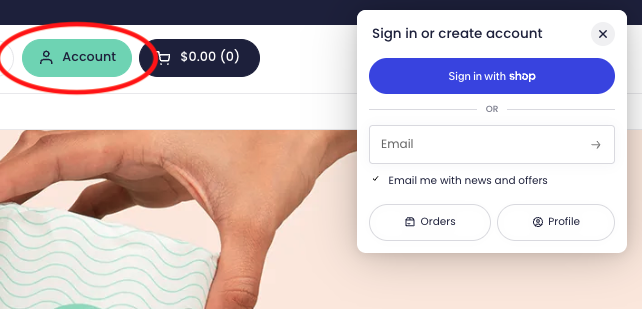
Step 2: We’ll send you your 4-digit code for passwordless login to the email address associated with your account.
Step 3: Click on “Subscriptions” on the top of the homepage.
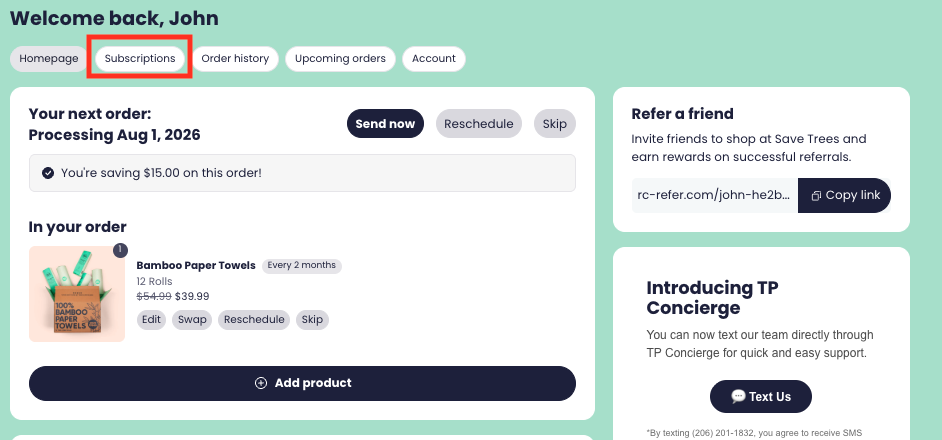
Step 4: Under Subscriptions, click on the subscription you would like to update.
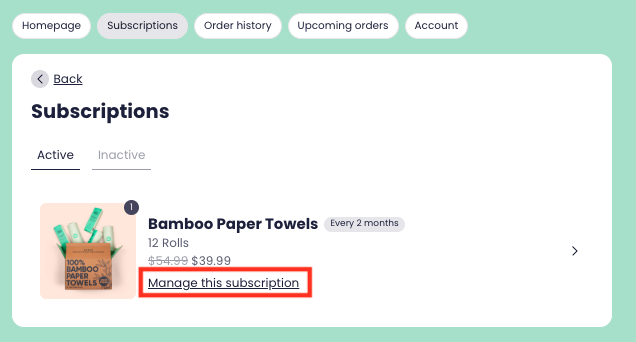
Step 5: Click on “Swap this for a different product”
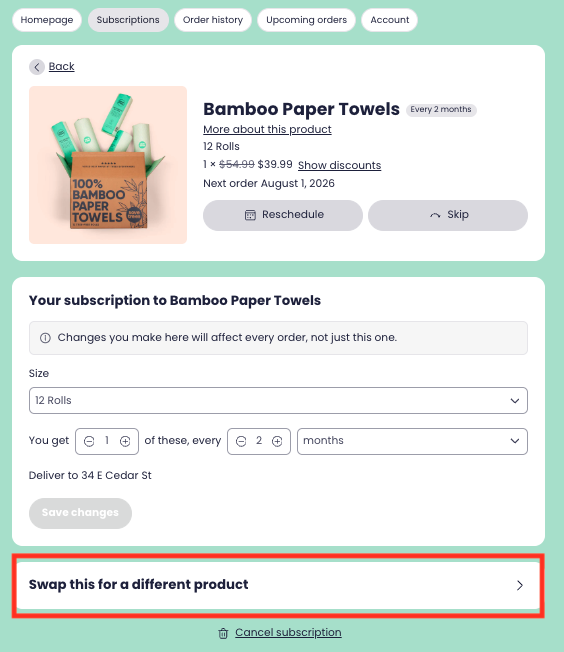
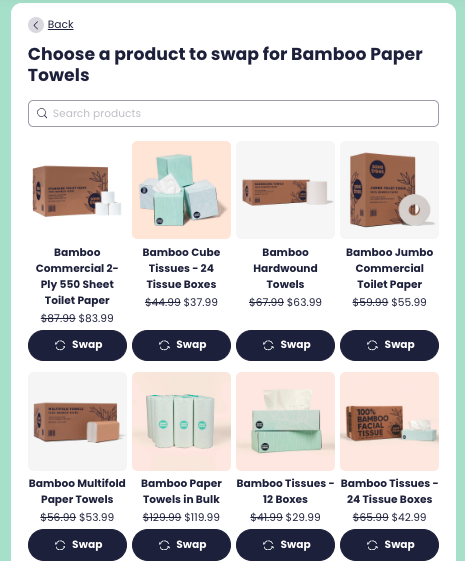
Step 6: Select or search the product of your own choosing and click on “Swap”.
Step 7: You may change the quantity or the frequency of shipment under “Product Options”.
Step 8: Click on “Swap Product” to confirm the changes made.
Please note - if you have a subscription but you can’t login to your account, please reach out to [email protected] and we will help you!