.png)
How can I adjust my shipping schedule or skip a shipment?Updated 4 months ago
Step 1: Log in to your Save Trees account using our passwordless login page
Step 2: We’ll send you your 4-digit code to the email address associated with your account.
Step 3: Click on “Reschedule” to adjust your next shipment date/shipping schedule. or “Skip Shipment” to skip an upcoming shipment.
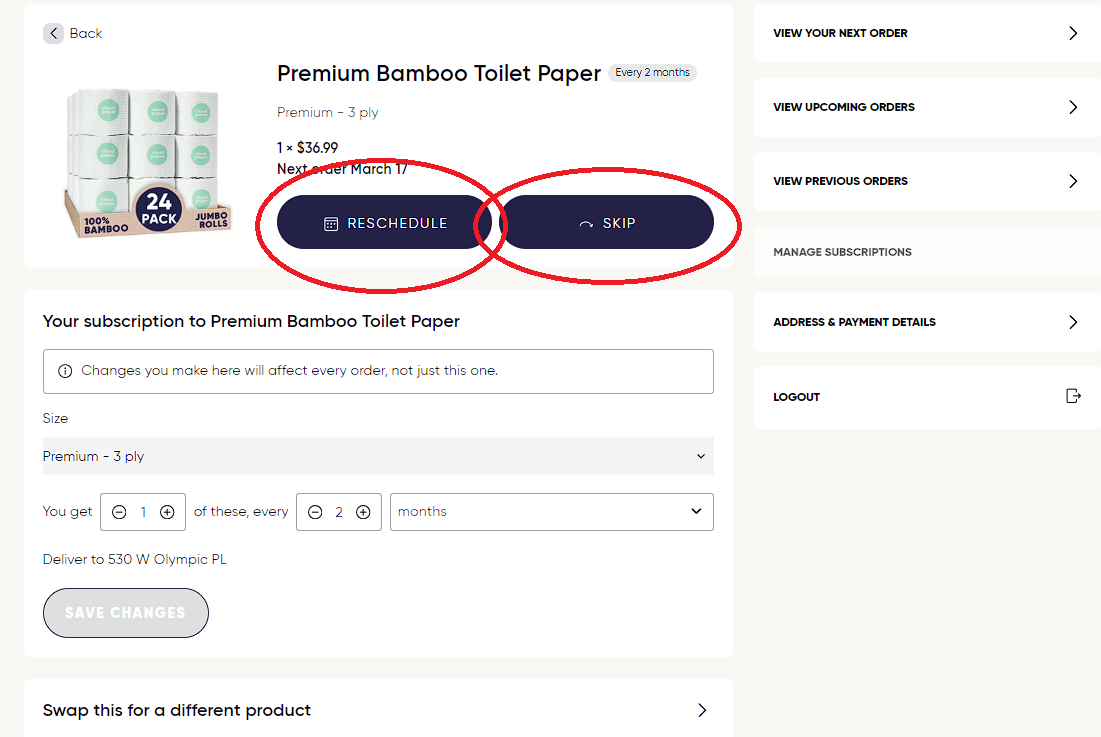
By hitting “Reschedule” you can either delay your order to 1-2 weeks or change the next ship date by choosing "Choose a specific date".
Step 4: You can also click on “View Upcoming Orders” where you can edit or skip your next or upcoming orders.
If you need further assistance or cannot log in to your account, please contact [email protected] and we will be glad to assist you!